Buffalo Bills Mobile
YinzCam, Inc.Sports
4.32.85K Reviews
- Version
- 3.7.2
- Installs
- 100.00K
- Age Rating
- Everyone
Screenshots
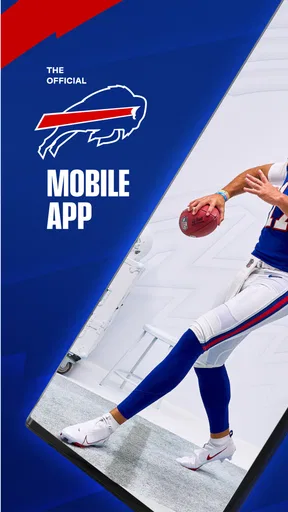
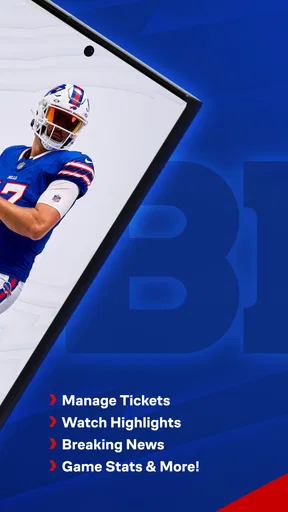
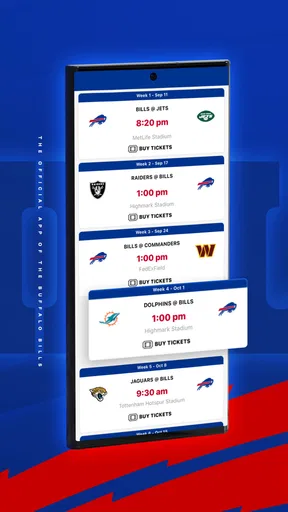
Our Review of Buffalo Bills Mobile
 Analysis by Appyee
I approached Buffalo Bills Mobile as a match-day companion rather than as a general sports news app. That distinction matters. Its purpose is narrow and clear: it is the official Buffalo Bills app, built for people who want team-focused information on a phone instead of searching across unrelated sports pages. In my experience, that focus makes it more useful during a busy football day than a broad sports app, but less appealing if I want a complete view of every league, team, or sport.
The app is free, aimed at Everyone, and developed by YinzCam, Inc. It belongs in the sports category and has been available since September 7, 2011. The current release is version 3.7.2, with a minimum operating system requirement of 10. Those details make it a fairly accessible choice for many Android and iOS users, although anyone using an older device should check compatibility before planning to rely on it at the stadium or while travelling.
What I like most is the direct relationship between the app and the team it represents. It does not ask me to filter through a crowded sports feed before finding Buffalo Bills information. The trade-off is just as important: if I am not following the Bills closely, the focused design can feel limited compared with a national sports service. This is an app for a particular fan habit, not a replacement for every sports tool on a phone.
How the network shapes the match-day experience
I find that the network matters most when a quick check turns into a time-sensitive one: the app can be a handy team companion, but a crowded venue or weak signal may slow the handoff between opening a section and getting useful information. In this section, I look at how to plan around that dependency without treating every delay as an app fault.
Useful when information is changing quickly
The strongest reason to open the app is that football information changes quickly. A fan may check the team before leaving home, glance at the phone while commuting, and return to it when the game becomes the main event. In those moments, the app works best as a single destination for Bills-related updates rather than as a place for long, relaxed reading.
That convenience depends heavily on connectivity. Live or recently updated information is only useful when the phone can reach the service and the service can return the latest material. I would not treat the app as a guaranteed substitute for a printed schedule, a saved ticket, or another essential travel detail. It is a connected companion, so its value rises when the network is stable and falls when the signal is crowded or unreliable.
A realistic example is arriving near Highmark Stadium before kickoff. I might use the app at home to orient myself, then check it again while walking from a parking area. The first check can be calm and deliberate; the second is more demanding because I am moving, dealing with noise, and possibly sharing a busy mobile network with thousands of other fans. That is where a focused team app can save time, but it is also where I notice that a phone experience is never completely separate from signal quality.
Why a dedicated team app can beat a general sports feed
General sports apps are often better when I want broad league coverage, cross-team comparisons, scores from several sports, or a single place for many interests. Their strength is breadth. Buffalo Bills Mobile has a different advantage: it keeps my attention on one organization. For a supporter who checks Bills information repeatedly, that narrower scope can reduce the small but annoying task of searching, filtering, and dismissing unrelated stories.
I see this as a workflow advantage rather than a claim that the app does everything better. If I am following several teams, a national service may be more efficient overall. If I am preparing for a Bills game, discussing the team with friends, or checking team-specific information between other tasks, the dedicated app feels more natural. The right choice depends on whether my priority is depth of team focus or breadth of sports coverage.
What connectivity changes inside the app
Network conditions affect more than whether a page opens. They influence how confidently I can treat what I am seeing as current, how quickly sections become available, and whether I have patience to move between screens. A delayed refresh can be harmless when I am browsing casually, but frustrating when I am checking something immediately before a game-related decision.
My practical advice is to open the app before the busiest part of the day, while I still have a reliable connection. I would review anything I need in advance, keep the phone charged, and avoid assuming that a crowded venue will provide the same responsiveness as a home Wi-Fi connection. This is not a criticism unique to this app; it is a basic reality of connected sports services. The important point is to plan around it instead of discovering the limitation at the exact moment information matters most.
Using it in everyday mobile situations
Away from game day, I use the app in short, purposeful visits rather than leaving it open in the background. That makes it easier to fit a Bills check around commuting, errands, and other phone tasks, while keeping the app’s focused scope clear; the next section considers what those everyday transitions feel like in practice.
At home, on the sofa, and between tasks
At home, the app is easiest to appreciate. I can open it while watching another program, checking a message, or planning the day around a Bills game. A stable connection makes navigation feel less like a technical task and more like checking a familiar team channel. This is also the best environment for exploring the app because I have time to understand where the information I care about is located.
On a normal weekday, the value is more selective. I would not keep it open continuously unless I had a specific reason. Instead, I would use it in short visits: a morning check, a quick look during a break, or a return to the app when game-related interest picks up. That pattern suits a free, team-focused app better than treating it as a permanent background service.
The app’s Everyone age rating also makes its intended audience broad. I can recommend it to adult fans, younger supporters, and families who want a straightforward Bills-focused mobile option. The rating does not mean every person will enjoy the same amount of content; it simply makes the app approachable for a wide range of fans without making it feel designed only for specialist football followers.
Travelling and moving between networks
Travelling exposes the difference between a useful connected app and a dependable offline reference. When I move from home Wi-Fi to mobile data, then into a building or a crowded public place, loading behavior can change. I would use the app for timely checks, but I would avoid making it the only source for information that I must have during a journey.
This matters especially for fans who travel to games or watch from outside their usual area. A good habit is to check the app while the connection is strong, then keep expectations modest when entering a location with uncertain coverage. I would also avoid repeatedly refreshing a page just because it seems slow; sometimes waiting for the network is more sensible than turning a temporary delay into unnecessary battery and data use.
When the phone is shared with other priorities
Sports apps compete with navigation, messages, calls, music, and camera use. Buffalo Bills Mobile makes sense as a quick-reference tool, but I would not let it interfere with essential phone functions. At a stadium, for example, I might need navigation or communication more urgently than another update. The best experience comes from using the app at the moments when it adds context, not from forcing it into every minute of the day.
This is one reason I prefer a focused routine: check the app before leaving, use it when I have a clear question, and return to it after the immediate task is finished. That approach keeps the team information useful without turning the phone into a constant distraction.
What happens when loading fails or information feels delayed
When a page seems stale or takes longer than expected, I try to distinguish a temporary connection issue from a problem with the app before repeatedly refreshing. A quick check of the connection and a pause can save effort, and it helps me decide whether to retry now or return later; next, I consider how to keep that routine from consuming more mobile data than needed.
Recognizing a network problem
If a section loads slowly, I first separate an app problem from a connection problem. I check whether other apps are also struggling, move from mobile data to Wi-Fi when appropriate, and wait briefly before trying again. This simple process prevents me from assuming that every delay comes from Buffalo Bills Mobile itself.
In a packed venue, repeated attempts may not help immediately. A large number of nearby phones can place pressure on the local connection, and a weak signal can make a perfectly functional app appear unreliable. I would close unnecessary background activity, avoid rapidly switching between many pages, and try again after moving to a less crowded spot if that is practical.
Recovering without losing the purpose of the visit
The most useful recovery habit is knowing what I actually came to find. If I opened the app for a quick team check, I do not need to spend several minutes fighting a slow screen. I can retry once, confirm the connection, and come back later. If I opened it for a planned visit at home, I have more room to troubleshoot by restarting the app or changing networks.
I also recommend keeping expectations realistic about freshness. A connected app can present current material when it receives an update, but a moment of poor connectivity can leave me looking at an older screen or waiting for new content. I should not interpret a delayed refresh as confirmation that nothing has changed. When timing matters, I verify that the page has actually refreshed before relying on it.
The older-device question
The minimum operating system requirement is 10, which is helpful information for compatibility planning. I would check the phone’s system version before a major game day rather than discovering an installation issue while travelling. On a supported device, I would still leave enough storage and battery for the broader demands of the day, because the app is only one part of a phone’s workload.
Version 3.7.2 indicates that the app is maintained through a current release, but I would still install updates before I need the app urgently. Updating at home gives me a stable connection and time to reopen the app, sign in if necessary, and make sure it behaves as expected. Waiting until a crowded location is rarely the best recovery plan.
Using the app without wasting mobile data
I treat mobile data as a resource to spend on the checks that matter, not as a reason to avoid the app altogether. Browsing more deliberately on Wi-Fi and closing the app when I am done can also preserve attention and battery for the rest of a match day, which leads into a closer look at practical ways to keep use efficient.
Choose the right connection for the right task
Because this is a connected sports app, I would use Wi-Fi for exploratory browsing whenever it is available and reserve mobile data for quick checks. That is especially sensible before a game, when I may also be using maps, messaging, ticket services, or photo uploads. I do not need to avoid the app entirely on mobile data, but I do want to be deliberate about how long I leave it open.
A useful routine is to browse more deeply at home, then use the app on the road for targeted visits. I might check the team before leaving, close it while travelling, and reopen it when I have a specific reason. This reduces unnecessary loading and makes the app feel faster because I am not constantly waiting for sections I do not currently need.
Battery and attention are part of the cost
Data is not the only resource to consider. A phone used for navigation, calls, photos, and live communication can lose power quickly during a long day. I would not keep Buffalo Bills Mobile open simply because I am attending a game. Instead, I would use it briefly, lock the screen when finished, and carry a charging option if the day will be extended.
There is also a human cost: constant checking can pull attention away from the game itself. The app is most valuable when it answers a question or adds useful team context. If I am already watching the action, I do not need to turn every pause into another screen session. That balance makes the app a companion rather than a distraction.
Who benefits most from this focused approach
The best match is a Buffalo Bills supporter who wants team-specific information in a free mobile app and is comfortable using it online. It suits fans who follow the team closely, people attending a game, and viewers who want a dedicated place to check Bills-related material without mixing it into a much larger sports feed.
I would be more cautious recommending it to someone who only wants general football scores, follows many teams equally, or needs a broad sports dashboard. A wider sports app may be more efficient in those cases. I would also avoid making this the sole tool for a trip where connectivity is uncertain or where I need guaranteed access to essential travel information.
My connectivity verdict
Buffalo Bills Mobile succeeds because it has a clear job. It puts the Buffalo Bills at the center of the mobile experience and gives fans a dedicated alternative to searching through general sports services. Its free price and broad Everyone rating make it easy to try, while the strong user response—an average of 4.3 from around 9.9 thousand ratings—suggests that the focused approach works for many supporters.
The app’s install base is over 100 thousand, and its long availability shows that it has remained part of the team-fan mobile landscape since its 2011 release. I would not treat those figures as a guarantee that it will suit me personally, but they do make it a credible first choice for someone specifically looking for an official Bills app rather than an all-purpose sports reader.
My final judgment is positive, with one condition: use it as a connected match-day companion, not as an offline safety net. Prepare when the network is good, keep mobile visits purposeful, and have another plan for essential information during travel or crowded events. If the Buffalo Bills are the team I care about most, I would install it and build it into my game-day routine. If I want every sport and every team in one place, I would choose a broader alternative instead.
Verdict
Strengths of Buffalo Bills Mobile
- Official source for Bills news, scores, schedules, and team updates.
- Live game information helps fans follow the team while away from home.
- Includes roster details, player profiles, and team-related content.
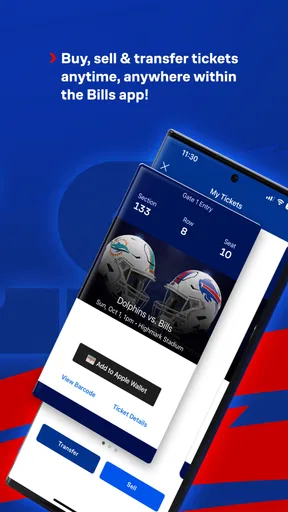
- Useful for checking ticket information and stadium-related updates.
- Provides a convenient hub for Buffalo Bills fans on mobile devices.
Limitations of Buffalo Bills Mobile
- Some features may be most useful only during the NFL season.
- Notifications can become frequent if many alerts are enabled.
- Video and live content may depend on regional or broadcast restrictions.
- The app may use noticeable battery and mobile data during live games.
- Certain ticket or account features may require additional sign-in steps.
Other Releases by YinzCam, Inc.
View All


Similar Picks in This Category
View All
BeSoccer: Soccer Live Score
BeSoccer apps4.3

Cricbuzz - Live Cricket Scores
Cricbuzz.com3.7

NFL
NFL Enterprises LLC2.4

Da Fit
MO YOUNG LIMITED3.6

ESPN
Disney4.5

LiveScore: Live Sports Scores
LiveScore Limited4.5
Frequently Asked Questions
What is Buffalo Bills Mobile, and what can I do with it?
Buffalo Bills Mobile is the official app for following the Buffalo Bills on Android and iOS. After installing it, fans can typically check team news, schedules, scores, standings, player information, videos, photos, and game-day updates in one place. It is designed as a convenient companion for supporters who want Bills coverage without relying only on social media or a web browser.
Does Buffalo Bills Mobile provide live scores, game updates, and notifications?
Yes, the app is built to keep fans informed during the NFL season with live scores, game status, schedules, news alerts, and team updates. Push notifications may be used for important developments such as kickoff reminders, scoring plays, final results, roster news, or breaking announcements. Notification options can usually be adjusted in the app or through your device settings.
Can I watch Buffalo Bills videos or listen to live game broadcasts in the app?
Buffalo Bills Mobile commonly includes video content such as interviews, press conferences, highlights, previews, and behind-the-scenes features. However, access to live video or audio broadcasts can depend on NFL restrictions, your location, broadcast rights, and whether a separate subscription or partner service is required. Check the individual content description before assuming every game is available to stream.
Does Buffalo Bills Mobile include tickets, stadium information, or mobile ordering features?
The app may provide useful game-day tools, including ticket access or links, stadium information, team store options, promotions, and details about attending a Bills game. Available features can change by season and venue, and some services may open another official platform or require account verification. Before game day, sign in and review the latest instructions so tickets and digital passes are ready.
Is Buffalo Bills Mobile free, and does it require an account?
Buffalo Bills Mobile is generally free to download, although some connected services, premium content, merchandise purchases, tickets, or streaming subscriptions may involve additional costs. You can often browse basic news and team information without registering, but an account may be needed for personalized alerts, ticket management, loyalty features, or synchronized preferences. Review requested permissions and privacy settings before completing setup.
